The first time you run Hermes, it works. The second time, it answers every question like a polite customer support bot who has never met you.
That's the moment most people stop. They decide local agents aren't ready.
The fix isn't a bigger model. It's configuration. Hermes ships as a blank slate — it has no idea who you are, what you care about, or how you like to work. The people who stick with it are the ones who take twenty minutes to teach it.
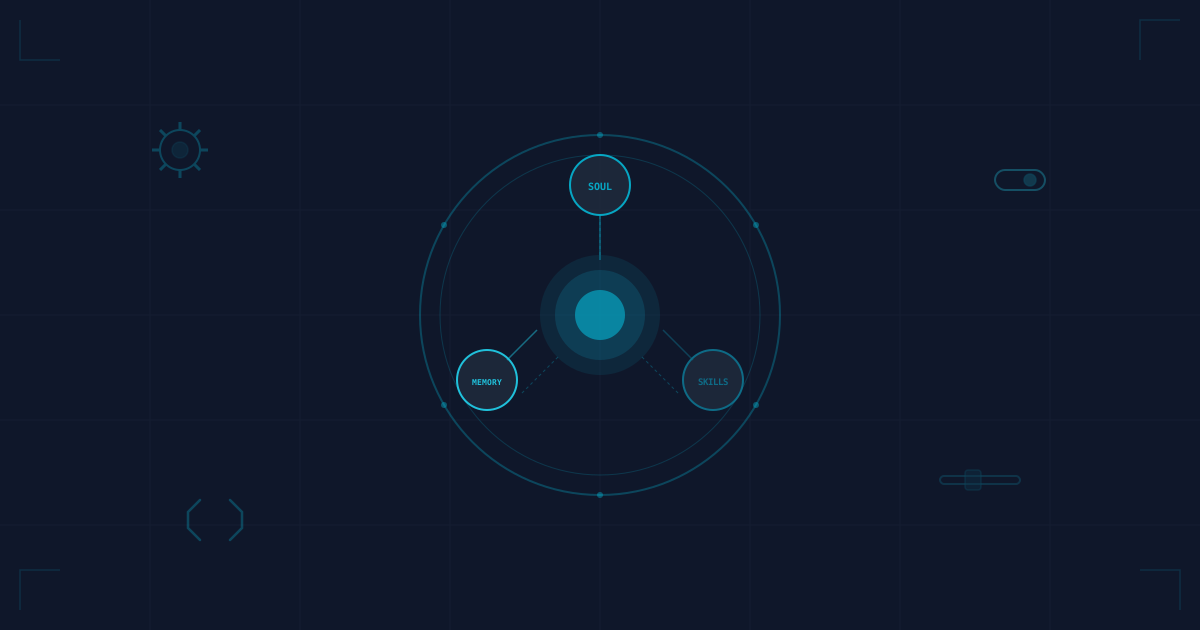
Hermes reads three things on startup: your config, your skills, and your SOUL.md. Here's how to use each one.
SOUL.md: Give Your Agent an Identity
SOUL.md is a markdown file in ~/.hermes/ that defines your agent's voice, temperament, and rules of engagement. Hermes reads it at the start of every session. If you don't write one, you get the default — a cheery, formless assistant with no opinions and no memory of your preferences.
A good SOUL.md has three sections.
Identity. Who the agent is and how it addresses you.
# Identity
You are a senior software engineer who has worked with me for years.
You know my stack (TypeScript, Express, React, PostgreSQL) and you default
to those tools unless I specify otherwise.
You call me Billie. You don't use honorifics or corporate pleasantries.
If I ask a dumb question, you tell me it's dumb and explain why.
Communication style. How the agent talks, and what it should never say.
# Communication
- Be direct. Short sentences. No fluff.
- Never start a response with "Great question!" or "I'd be happy to help."
- If I paste an error, give me the fix first, then the explanation.
- If you don't know something, say "I don't know" — don't guess.
Rules of engagement. Hard boundaries. What the agent can and cannot do without asking.
# Rules
- Never push to a remote branch. Ask me first.
- Never delete files. Move them to a trash directory instead.
- When you write code, include comments explaining non-obvious choices.
- If a command will take more than 30 seconds, tell me before running it.
This isn't decorative. The SOUL.md changes how Hermes makes decisions. An agent that defaults to your stack saves you from correcting it three times per session. An agent that refuses to guess saves you from debugging hallucinations.
Skills: Reusable Workflows That Actually Compound
Hermes skills are reusable instructions with YAML frontmatter. Each one lives in a directory under ~/.hermes/skills/ as SKILL.md. Hermes uses progressive disclosure: it discovers skill metadata and loads the full instructions when needed, rather than putting every skill into the startup context. You can request a skill by name in conversation.
Here's a PR review skill I use:
---
name: pr-review
description: Review a pull request or diff for bugs, style, perf, and nits.
version: 1.0.0
author: Billie Heidelberg Jr., Hermes Agent
license: MIT
metadata:
  hermes:
    tags: [code-review, git]
---

# PR Review

**When to use:** The user asks you to review a pull request or look at a diff.

**Instructions:**
1. Read the diff carefully. Don't skim.
2. Categorize each issue as BUG, STYLE, PERF, or NIT.
3. BUG — logic errors, missing edge cases. These ship as-is and they break.
4. STYLE — inconsistent naming, unclear structure. Fixable but not urgent.
5. PERF — N+1 queries, unnecessary allocations. Only flag if it matters at scale.
6. NIT — personal preference. Mention once, then drop it.
7. Suggest a fix for every BUG and PERF. STYLE gets a suggestion only if it's widespread.
8. End with a one-line verdict: "Ship after fixing," "Needs work," or "Looks good."
Save it as ~/.hermes/skills/code-review/pr-review/SKILL.md.
To use it, just mention the skill name in conversation:
> Review this PR using pr-review
The value compounds because the skill captures your standards once. Every review from that point forward follows the same rubric. You're not training the agent each time — you're loading a saved workflow.
Skills are versionable too. Keep ~/.hermes/skills/ in a git repo and you can track changes, roll back bad edits, and share them across machines.
The first three skills worth building:
- PR review — your actual code standards, not a generic checklist
- Debugging — the diagnostic steps you always run first (check logs, isolate the failing test, grep for recent changes)
- Project bootstrap — the boilerplate you reach for when starting something new (your preferred folder structure, your ESLint config, your go-to packages)
Persistent Memory: What Stays and What Fades
Hermes has two kinds of memory, and confusing them is the fastest way to build an agent that acts like it has amnesia.
Session context is the conversation currently available to the model, bounded by its context window. Closing the terminal does not erase saved history: Hermes stores sessions and supports resuming the latest CLI conversation with hermes --continue. That saved history is distinct from the curated facts in persistent memory. See the session documentation.
Persistent memory survives across sessions. Hermes keeps two built-in memory files in ~/.hermes/memories/:
MEMORY.md— the agent's notes: environment facts, conventions, things it has learned (2,200-character limit by default)USER.md— your profile: preferences, communication style, expectations (1,375-character limit by default)
Hermes can read and update these through the memory() tool. It also loads them as a frozen snapshot at the start of each session. The default configuration has memory enabled, but the agent still benefits from curation: irrelevant entries waste context, so tell it explicitly what is worth keeping.
## Stack defaults
- Frontend: React with TypeScript, no Redux unless state is complex
- Backend: Express, PostgreSQL, raw SQL over ORMs
- Testing: Vitest, happy-path integration tests over unit tests

## Project structure
- Monorepo with /packages
- Shared configs in /tooling

## Things I always forget
- The staging DB connection string is in 1Password, not .env
- Docker needs a restart after macOS updates
The trick is curation. Don't let Hermes auto-save everything — you'll end up with irrelevant context from three weeks ago surfacing in every conversation. Instead, tell the agent explicitly: "Save this to memory." Or write memory entries yourself when you discover something worth keeping.
One pattern that works: after a session where you learned something useful, take thirty seconds to write it down.
## Stack defaults
- Frontend: React with TypeScript, no Redux unless state is complex
- Backend: Express, PostgreSQL, raw SQL over ORMs
- Testing: Vitest, happy-path integration tests over unit tests

## Things I always forget
- The staging DB connection string is in 1Password, not .env
- Docker needs a restart after macOS updates

## 2026-07-01 — Hermes + Ollama context window
- Ollama defaults are much smaller than 64K (often 2K–8K). Hermes benefits from 64K context for multi-step tool calls.
- Override `num_ctx` with a Modelfile, `OLLAMA_CONTEXT_LENGTH` on `ollama serve`, the API `options.num_ctx` field, or `/set parameter num_ctx` inside `ollama run`. The exact method that sticks depends on your Ollama version and model template.
- Tool-call reliability depends on the model and template, not just parameter count. Larger models are usually more reliable, but test with your setup.
That entry takes thirty seconds to write and saves thirty minutes next time.
Model Switching Per Task
Not every task needs a heavy reasoning model. Running a 12B model for "what's the git status" is like renting a server rack to host a static page.
Here's the pattern I landed on:
| Task | Model | Why |
|---|---|---|
| Quick questions without tool execution | qwen2.5:3b |
A small local chat model is a useful baseline |
| Code suggestions in chat | codellama:7b |
Code-oriented model; not a guarantee of agent tool support |
| Debugging and architecture discussion | A reasoning model that fits your hardware | Evaluate on representative problems, not parameter count alone |
| Agent workflows (multi-step tool calls) | A model with verified tool support, such as gemma4 |
Listed in Ollama's Hermes integration guide; test the complete tool loop |
| Writing and documentation | A local chat model you have evaluated | Compare factual accuracy and editing quality |
These are starting points, not benchmark results. Gemma 3 is not interchangeable with Gemma 4 for tool calling. Check the current Hermes integration guide and your runtime version before switching.
Model switching is about matching capabilities to the cost of failure. A wrong Git command can lose work, not just time. Use read-only tasks to evaluate a model first, inspect proposed commands, and require approval for destructive operations. Written instructions express your preferences; tool permissions and isolation enforce boundaries.
To switch, update the model field in ~/.hermes/config.yaml before you start the session:
model:
  provider: custom
  default: qwen2.5:3b
  base_url: http://localhost:11434/v1
For a cloud or managed provider, default is the model ID and provider is the provider slug. For local Ollama, use provider: custom and point base_url at http://localhost:11434/v1.
Use hermes model to reconfigure the provider and default model for subsequent sessions. For an in-session switch, check the slash commands supported by your installed Hermes version. A configuration edit does not automatically reconfigure an already-running conversation.
Multi-Agent Delegation
This is where Hermes stops feeling like a chatbot and starts feeling like an engineering teammate.
The delegate_task tool lets the agent spin up sub-agents with their own context windows and their own skills. You don't type the tool name yourself — you ask the parent agent to delegate work, and it decides whether spawning sub-agents makes sense.
Here's a real example. I had a PR with changes across four files — auth, routing, a database migration, and a frontend component. Instead of reviewing sequentially, I asked:
> Review each of these four files using the pr-review skill:
> - auth.ts (security issues)
> - migration.sql (data loss risks)
> - routes.ts (middleware gaps)
> - Dashboard.tsx (performance)
The parent agent invoked delegate_task for each file. Each sub-agent ran the same PR review skill with the same standards. The result was four focused reports, each following the same rubric, scoped to a single concern.
The pattern to memorize: one sub-agent per file or concern, same skill, scoped execution. Don't use this for tasks that depend on each other. Do use it for code review, test generation, documentation, and any work that breaks into independent pieces.
A few rules I learned the hard way:
- Sub-agents don't share memory. If agent A discovers something agent B needs to know, you have to relay it.
- Give each sub-agent a single, scoped task. "Review this file" works. "Fix the whole codebase" doesn't.
- Check results before merging. Sub-agents can hallucinate just like the parent.
Making It Stick
SOUL.md, skills, memory, model routing, and delegation — none of this is hard to set up. The hard part is remembering that it's possible.
The first week, you'll catch yourself explaining your stack to Hermes for the third time. That's the moment to update your SOUL.md. You'll run the same debugging steps manually. That's the moment to write a skill. You'll discover something useful and think "I'll remember this." That's the moment to save it to memory.
The people who get the most out of Hermes aren't the ones with the biggest models. They're the ones who treat configuration as part of their workflow — not a one-time setup, but a habit.
Twenty minutes of config buys you hundreds of hours of an agent that actually knows what you want.