Playwright Testing Guide
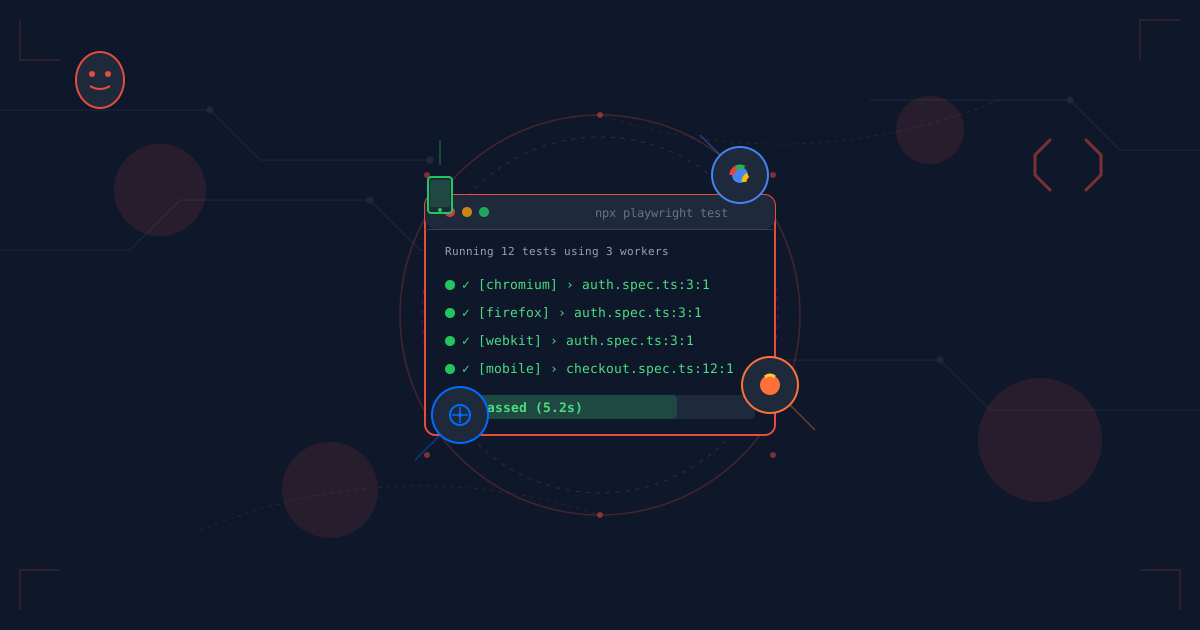
Playwright is Microsoft's modern end-to-end testing framework that allows you to test web applications across all major browsers (Chromium, Firefox, WebKit) with a single API. Unlike unit tests that verify individual functions, Playwright tests the entire application from a user's perspective.
Getting Started
npm init playwright@latest
This interactive setup will:
- Install Playwright and browsers
- Create a
playwright.config.ts - Add example tests
- Create a GitHub Actions workflow (optional)
Manual installation:
npm install -D @playwright/test
npx playwright install
Configuration
playwright.config.ts:
import { defineConfig, devices } from '@playwright/test';

export default defineConfig({
  testDir: './tests',
  fullyParallel: true,
  forbidOnly: !!process.env.CI,
  retries: process.env.CI ? 2 : 0,
  workers: process.env.CI ? 1 : undefined,
  reporter: 'html',

  use: {
    baseURL: 'http://localhost:3000',
    trace: 'on-first-retry',
    screenshot: 'only-on-failure',
  },

  projects: [
    {
      name: 'chromium',
      use: { ...devices['Desktop Chrome'] },
    },
    {
      name: 'firefox',
      use: { ...devices['Desktop Firefox'] },
    },
    {
      name: 'webkit',
      use: { ...devices['Desktop Safari'] },
    },
    {
      name: 'mobile',
      use: { ...devices['iPhone 13'] },
    },
  ],

  webServer: {
    command: 'npm run dev',
    url: 'http://localhost:3000',
    reuseExistingServer: !process.env.CI,
  },
});
Your First Test
tests/example.spec.ts:
import { test, expect } from '@playwright/test';

test('homepage has correct title and heading', async ({ page }) => {
  // Navigate to page
  await page.goto('/');

  // Verify title
  await expect(page).toHaveTitle(/My Portfolio/);

  // Verify heading
  await expect(page.getByRole('heading', { name: 'Welcome' })).toBeVisible();
});
Run the test:
npx playwright test
Locator Strategies
Playwright recommends user-facing locators that resemble how users interact with your page:
// ✅ Best: By role (accessible)
page.getByRole('button', { name: 'Submit' })
page.getByRole('heading', { name: 'Dashboard' })
page.getByRole('link', { name: 'Contact' })

// ✅ Good: By label (forms)
page.getByLabel('Email address')
page.getByLabel('Password')

// ✅ Good: By placeholder
page.getByPlaceholder('Enter your email')

// ✅ Good: By text content
page.getByText('Welcome back')
page.getByText(/success/i) // Regex

// ✅ Good: By test ID (when needed)
page.getByTestId('submit-button')

// ⚠️ Avoid: CSS/XPath (brittle)
page.locator('.btn-primary') // Can break if class changes
page.locator('#user-123') // Tied to implementation
Real-World Example: Authentication Flow
tests/auth.spec.ts:
import { test, expect } from '@playwright/test';

test.describe('Authentication', () => {
  test('should allow user to login', async ({ page }) => {
    // Navigate to login page
    await page.goto('/login');

    // Fill in form
    await page.getByLabel('Email').fill('user@example.com');
    await page.getByLabel('Password').fill('password123');

    // Click submit
    await page.getByRole('button', { name: 'Sign in' }).click();

    // Verify redirect to dashboard
    await expect(page).toHaveURL('/dashboard');

    // Verify welcome message
    await expect(page.getByText('Welcome back!')).toBeVisible();

    // Verify user menu appears
    await expect(page.getByRole('button', { name: 'Account' })).toBeVisible();
  });

  test('should show error for invalid credentials', async ({ page }) => {
    await page.goto('/login');

    await page.getByLabel('Email').fill('wrong@example.com');
    await page.getByLabel('Password').fill('wrongpassword');
    await page.getByRole('button', { name: 'Sign in' }).click();

    // Should stay on login page
    await expect(page).toHaveURL('/login');

    // Should show error message
    await expect(page.getByText('Invalid credentials')).toBeVisible();
  });

  test('should logout successfully', async ({ page }) => {
    // First login
    await page.goto('/login');
    await page.getByLabel('Email').fill('user@example.com');
    await page.getByLabel('Password').fill('password123');
    await page.getByRole('button', { name: 'Sign in' }).click();
    await expect(page).toHaveURL('/dashboard');

    // Then logout
    await page.getByRole('button', { name: 'Account' }).click();
    await page.getByRole('menuitem', { name: 'Logout' }).click();

    // Verify redirect to home
    await expect(page).toHaveURL('/');
  });
});
Authentication State Management
Avoid logging in for every test by saving authentication state:
tests/auth.setup.ts:
import { test as setup, expect } from '@playwright/test';

const authFile = 'playwright/.auth/user.json';

setup('authenticate', async ({ page }) => {
  await page.goto('/login');
  await page.getByLabel('Email').fill('user@example.com');
  await page.getByLabel('Password').fill('password123');
  await page.getByRole('button', { name: 'Sign in' }).click();

  await expect(page).toHaveURL('/dashboard');

  // Save storage state
  await page.context().storageState({ path: authFile });
});
playwright.config.ts:
export default defineConfig({
  projects: [
    { name: 'setup', testMatch: /.*\.setup\.ts/ },
    {
      name: 'chromium',
      use: {
        ...devices['Desktop Chrome'],
        storageState: 'playwright/.auth/user.json',
      },
      dependencies: ['setup'],
    },
  ],
});
Now all tests in the chromium project will start authenticated!
Form Testing
test('should submit contact form', async ({ page }) => {
  await page.goto('/contact');

  // Fill form fields
  await page.getByLabel('Name').fill('John Doe');
  await page.getByLabel('Email').fill('john@example.com');
  await page.getByLabel('Subject').fill('Question about services');
  await page.getByLabel('Message').fill('I would like to know more...');

  // Select from dropdown
  await page.getByLabel('Topic').selectOption('General Inquiry');

  // Check checkbox
  await page.getByLabel('Subscribe to newsletter').check();

  // Upload file
  await page.getByLabel('Attachment').setInputFiles('path/to/file.pdf');

  // Submit
  await page.getByRole('button', { name: 'Send message' }).click();

  // Verify success
  await expect(page.getByText('Message sent successfully')).toBeVisible();
});
Testing Interactive Features
Dropdown menus:
test('should navigate via dropdown menu', async ({ page }) => {
  await page.goto('/');

  // Click menu button
  await page.getByRole('button', { name: 'Menu' }).click();

  // Wait for menu to appear
  await expect(page.getByRole('menu')).toBeVisible();

  // Click menu item
  await page.getByRole('menuitem', { name: 'About' }).click();

  // Verify navigation
  await expect(page).toHaveURL('/about');
});
Modal dialogs:
test('should open and close modal', async ({ page }) => {
  await page.goto('/dashboard');

  // Open modal
  await page.getByRole('button', { name: 'Add item' }).click();

  // Verify modal visible
  const modal = page.getByRole('dialog');
  await expect(modal).toBeVisible();

  // Fill form in modal
  await modal.getByLabel('Title').fill('New Item');
  await modal.getByRole('button', { name: 'Save' }).click();

  // Verify modal closed
  await expect(modal).not.toBeVisible();
});
Infinite scroll:
test('should load more items on scroll', async ({ page }) => {
  await page.goto('/blog');

  // Initial count
  const initialCount = await page.getByRole('article').count();

  // Scroll to bottom
  await page.evaluate(() => window.scrollTo(0, document.body.scrollHeight));

  // Wait for more items
  await page.waitForFunction(
    (count) => document.querySelectorAll('article').length > count,
    initialCount
  );

  // Verify more items loaded
  const newCount = await page.getByRole('article').count();
  expect(newCount).toBeGreaterThan(initialCount);
});
API Mocking & Interception
Mock API responses:
test('should display mocked user data', async ({ page }) => {
  // Intercept API call
  await page.route('**/api/user', async (route) => {
    await route.fulfill({
      status: 200,
      contentType: 'application/json',
      body: JSON.stringify({
        name: 'John Doe',
        email: 'john@example.com',
        role: 'Admin'
      }),
    });
  });

  await page.goto('/profile');

  // Verify mocked data appears
  await expect(page.getByText('John Doe')).toBeVisible();
  await expect(page.getByText('Admin')).toBeVisible();
});
Test error states:
test('should handle API errors gracefully', async ({ page }) => {
  await page.route('**/api/posts', (route) => route.abort('failed'));

  await page.goto('/blog');

  await expect(page.getByText('Failed to load posts')).toBeVisible();
});
Waiting Strategies
// Wait for navigation
await page.click('a[href="/about"]');
await page.waitForURL('/about');

// Wait for element
await page.waitForSelector('text=Welcome');

// Wait for network to be idle
await page.goto('/dashboard', { waitUntil: 'networkidle' });

// Wait for custom condition
await page.waitForFunction(() => document.title === 'Dashboard');

// Wait for API response
const responsePromise = page.waitForResponse('**/api/data');
await page.click('button');
const response = await responsePromise;
expect(response.status()).toBe(200);
Debugging
1. Headed mode (see browser):
npx playwright test --headed
2. Debug mode (step through):
npx playwright test --debug
3. Pause in test:
test('debug test', async ({ page }) => {
  await page.goto('/');
  await page.pause(); // Opens Playwright Inspector
  await page.click('button');
});
4. Screenshots:
await page.screenshot({ path: 'screenshot.png' });
await page.screenshot({ path: 'fullpage.png', fullPage: true });
5. Video recording:
// In config
use: {
  video: 'retain-on-failure',
}
6. Trace viewer:
npx playwright test --trace on
npx playwright show-trace trace.zip
Mobile Testing
import { test, devices } from '@playwright/test';

test.use({
  ...devices['iPhone 13'],
  locale: 'en-US',
  geolocation: { longitude: 12.492507, latitude: 41.889938 },
  permissions: ['geolocation'],
});

test('mobile navigation works', async ({ page }) => {
  await page.goto('/');

  // Mobile menu (hamburger)
  await page.getByRole('button', { name: 'Open menu' }).click();
  await expect(page.getByRole('navigation')).toBeVisible();
});
Testing Multiple Scenarios
const testCases = [
  { role: 'Admin', canEdit: true },
  { role: 'User', canEdit: false },
  { role: 'Guest', canEdit: false },
];

for (const { role, canEdit } of testCases) {
  test(`${role} ${canEdit ? 'can' : 'cannot'} edit content`, async ({ page }) => {
    await page.goto(`/content?role=${role}`);

    const editButton = page.getByRole('button', { name: 'Edit' });

    if (canEdit) {
      await expect(editButton).toBeVisible();
    } else {
      await expect(editButton).not.toBeVisible();
    }
  });
}
Best Practices
1. Use Auto-waiting
// ❌ Don't manually wait
await page.waitForTimeout(1000);
await page.click('button');

// ✅ Playwright auto-waits
await page.click('button');
2. Use Web-First Assertions
// ❌ Don't use delays
await page.waitForTimeout(500);
expect(await page.textContent('.status')).toBe('Success');

// ✅ Use web-first assertions (auto-retry)
await expect(page.locator('.status')).toHaveText('Success');
3. Isolate Tests
// Each test should be independent
test.beforeEach(async ({ page }) => {
  await page.goto('/');
});

test('test 1', async ({ page }) => {
  // Don't rely on state from test 2
});

test('test 2', async ({ page }) => {
  // Don't rely on state from test 1
});
4. Use Page Object Model (Optional)
// pages/LoginPage.ts
export class LoginPage {
  constructor(private page: Page) {}

  async login(email: string, password: string) {
    await this.page.getByLabel('Email').fill(email);
    await this.page.getByLabel('Password').fill(password);
    await this.page.getByRole('button', { name: 'Sign in' }).click();
  }
}

// tests/auth.spec.ts
import { LoginPage } from './pages/LoginPage';

test('login', async ({ page }) => {
  const loginPage = new LoginPage(page);
  await page.goto('/login');
  await loginPage.login('user@example.com', 'password123');
});
CI/CD Integration
GitHub Actions (.github/workflows/playwright.yml):
name: Playwright Tests
on:
  push:
    branches: [main]
  pull_request:
    branches: [main]

jobs:
  test:
    timeout-minutes: 60
    runs-on: ubuntu-latest
    steps:
      - uses: actions/checkout@v4
      - uses: actions/setup-node@v4
        with:
          node-version: 20
      - name: Install dependencies
        run: npm ci
      - name: Install Playwright Browsers
        run: npx playwright install --with-deps
      - name: Run Playwright tests
        run: npx playwright test
      - uses: actions/upload-artifact@v4
        if: always()
        with:
          name: playwright-report
          path: playwright-report/
          retention-days: 30
Key Takeaways
- End-to-End Coverage: Test real user flows across browsers
- Auto-Waiting: No manual timeouts, Playwright waits automatically
- Developer Experience: Excellent debugging with traces, videos, screenshots
- Cross-Browser: Test Chrome, Firefox, Safari with one codebase
- Fast & Reliable: Parallel execution and auto-retry on flaky tests
- Modern Web Support: Works with React, Vue, Angular, Next.js, etc.
Playwright makes E2E testing developer-friendly with its intelligent waiting, powerful debugging tools, and cross-browser support. Start with critical user journeys and expand coverage as your application grows.